
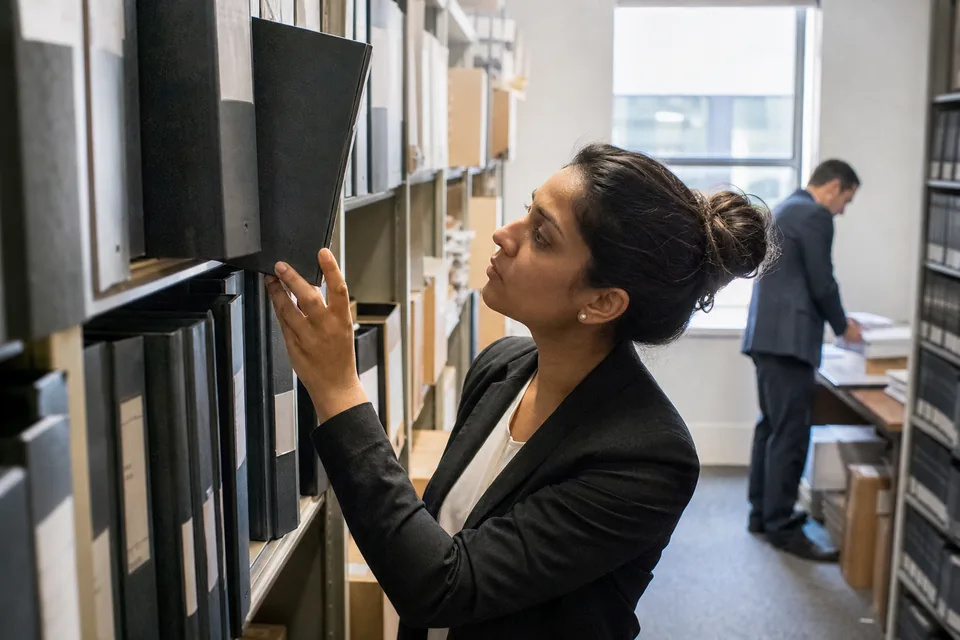
Document management system for law firms that remembers what the firm already wrote
Jural keeps the firm's templates, precedents, playbooks and past work product in one library, searchable by what a passage means and not only by the words in its file name. Every search respects who is allowed to see what, so a lawyer finds the best prior brief or clause the firm has, and never a document from a matter they are walled off from.
One library for the firm's best work
The best answer to a new assignment is often a document the firm wrote three years ago. It sits in a folder named after a client, in a format nobody remembers, on a drive only one partner searches well. Jural gathers that work into a library organized by matter, document type and practice area, and keeps it connected to the matters where it was used.
- Firm templates for engagement letters, pleadings, discovery requests, agreements and corporate forms
- Precedents such as signed agreements, filed briefs, settlement agreements and opinion letters
- Playbooks that state the firm's positions on clauses, with fallback language and approval rules
- Past work product from closed matters, kept with the matter number and responsible attorney
- Clause collections built from redlines the firm accepted in negotiated deals
Search by meaning, then by detail
Keyword search fails when the drafter used different words. Ask Jural for "a mutual non-solicit limited to employees the other side worked with directly" and it finds clauses that say the same thing in other language, then lets you narrow by practice area, document type, governing law, date, client or matter. Each result opens at the relevant passage, so you read the clause in its context before you reuse it.
Version history and the one current template
A firm template is worth little if three versions circulate. In Jural each template has an owner, a current version and a history. Lawyers draft from the current version through legal document automation software, and older versions stay available for reference with a clear label. When the owner updates a template after a change in the law or a lesson from a deal, every new draft uses the update from that moment.
From scattered folders to a searchable library step by step
- Upload documents in PDF, DOCX or scanned form, or import a folder export from your current storage
- Jural reads each document, applies OCR to scans, and indexes the text by meaning and by metadata
- Documents attach to their matter, and inherit that matter's access wall and permissions
- Partners or knowledge managers mark templates, precedents and playbooks as firm-approved
- Lawyers search in plain language and filter by practice area, document type, date and matter
- Results link to the exact passage, and can be inserted into a draft with the source recorded
- Every view, download and change is recorded in the activity log
Permissions that follow the matter
Access in Jural is set per matter and per role. A document from a walled matter does not appear in anyone's search results unless they are on that matter, and the result list never hints at its title. Firm-approved templates and playbooks can be shared across the firm while the client documents they were built from stay restricted. On Enterprise, custom roles let the firm separate who may edit templates, who may approve them and who may only read.
Your documents stay yours
Client documents and firm work product are never used to train AI models. Data is encrypted in transit and at rest, and the firm decides what is deleted and when. Enterprise adds data retention controls, so closed matters can be kept or removed on the schedule your retention policy sets. Read more on confidential ai for law firms.
What the knowledge base does not do
- It does not judge whether a precedent is still good law or fits a new client. Attorneys review anything reused from the library.
- It does not replace your firm's records retention policy. It applies the policy you configure.
- It does not search documents outside Jural, such as email archives or other storage you did not import.
- It does not make a template current by itself. A named owner approves every new version.
- It does not give legal advice. Anything drafted from the library is a draft for attorney review.
Who works from the firm library
Associates search it before starting from a blank page, so their first draft begins with language the firm already negotiated or filed. Partners maintain the playbooks that set the firm's positions on indemnities, caps and non-competes. Knowledge managers and senior paralegals curate templates and retire old versions. Solo attorneys use it to turn years of their own files into a library they can actually search, instead of opening old matters one by one.
Onboarding new lawyers
A new associate learns the firm's standards faster when the standards are written down and easy to find. The library shows which templates are firm-approved, which playbook governs a contract type, and which past briefs the firm considers its best work on a recurring motion. That shortens the time before a new hire's drafts look like the firm's drafts.
Storage and sharing on each plan
Every plan includes the library, search by meaning, OCR and version history. Solo includes 10 GB of storage per user. Firm includes 100 GB per user, shared firm playbooks and templates, and per-matter access walls. Enterprise includes 1 TB per user, SSO (SAML), custom roles, audit log export and data retention controls. Pages read when documents are indexed count toward analysed pages in the billing period, and deleting a document does not return them. Yearly billing is the default and saves 50 percent: $24, $49 and $99 per user per month. See ai legal assistant pricing.
FAQ
Yes, you can upload PDF and DOCX files or a folder export, and Jural keeps the folder names as tags for filtering.
No, results only include documents from matters you are allowed to see, and walled matters do not appear at all.
No, client documents and firm work product are never used to train AI models.
Yes, each template has an owner and one current version, and earlier versions stay in the history with a clear label.
Turn your past work into the firm's first draft
Create your account, upload your templates and run your first search by meaning today.
Your documents are never used to train AI models. Every result is a draft for attorney review.