
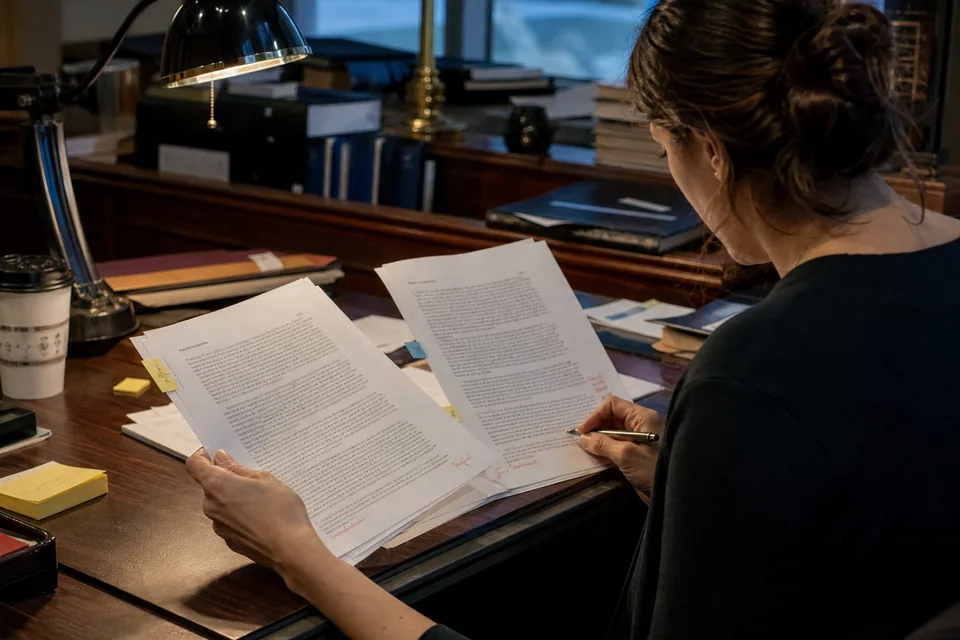
AI contract review software that reads the deal the way your firm does
Jural reviews a contract clause by clause from the side you represent, compares each provision with your firm's own playbook and standard positions, ranks the risks by severity and proposes redlines with the reasoning behind them. The marked-up draft exports as a DOCX with tracked changes, so the attorney who signs off works in the same file the other side will open.
A review that starts from your positions
Generic AI contract review tells you what a clause says. Jural tells you where the clause departs from what your firm accepts, why that matters for your client, and what language would bring it back in line.
Firm playbooks and standard positions
Upload the playbook your firm already uses, or write standard positions inside Jural: the cap on liability you accept for a services agreement, the notice period you require before termination for convenience, the governing law you prefer, the carve-outs you insist on in a confidentiality clause. On Firm and Enterprise plans, playbooks are shared across the firm, so a second-year associate reviews against the same positions as the partner who wrote them. Playbooks can be set per contract type, per client or per practice group.
Clause-by-clause risk list by severity
Every review produces a list of findings sorted as high, medium or low severity. Each finding names the clause and section number, quotes the language at issue, states the playbook position it departs from, and explains the practical exposure in a sentence or two. Missing clauses count too: an MSA with no limitation of liability or an NDA with no return or destruction obligation shows up as a finding, not as silence.
Proposed redlines with reasoning
For each finding, Jural drafts replacement or added language drawn from your playbook fallback positions. Next to the redline sits a short note the reviewing attorney can keep, edit or delete before the draft goes out, for example why a mutual indemnity is proposed instead of a one-way one. Accept, reject or rewrite each proposal individually.
Tracked-changes DOCX export
Accepted redlines export as a Word document with tracked changes against the original text, with your reasoning notes as comments if you want them. The counterparty sees normal tracked changes, not a report. You can also export the risk list to DOCX for an internal memo or to CSV for a deal checklist.
How a contract review runs
- Upload the contract as PDF, DOCX or a scan, or open it from a matter that already holds it.
- Choose the contract type and the side you represent, such as licensor or licensee, buyer or seller, discloser or recipient.
- Pick the playbook to apply, or let Jural use the firm default for that contract type.
- Jural reads every page, identifies parties, term, payment, termination and governing law, and writes a short summary.
- Each clause is checked against the playbook and the side you represent, and findings are ranked by severity.
- The attorney reviews each finding and redline, accepts, edits or rejects it, and asks follow-up questions about the contract.
- The approved markup exports as a tracked-changes DOCX and the review is saved to the matter with its activity log.
Try ai contract review on your own document
The homepage demo runs a real review before you create an account. Upload a contract as PDF or DOCX up to 10 pages, or paste up to 6 000 words, pick the contract type and the side you represent, or choose Use a sample NDA. The result shows the summary and the first risks with severity and clause reference. Create your account to unlock the full risk list and one redline, plus one more full review with a watermarked DOCX export. The demo is a one-time review, not a plan.
Clauses Jural checks in a typical commercial agreement
- Term, renewal and auto-renewal language, including notice windows to prevent renewal
- Termination for cause and for convenience, cure periods and effects of termination
- Limitation of liability, caps, exclusions of consequential damages and carve-outs
- Indemnification scope, procedure, defense control and survival
- Confidentiality, permitted disclosures, return or destruction and duration
- Intellectual property ownership, licenses, work product and feedback clauses
- Payment terms, late fees, price escalation and audit rights
- Assignment, change of control and subcontracting
- Governing law, venue, dispute resolution, arbitration and jury waiver
- Data protection, security obligations and breach notification
- Non-solicitation and non-compete language where the contract contains it
What Jural does not do in a contract review
Jural supports lawyers and does not give legal advice. Every risk list and every redline is a draft for attorney review, and nothing leaves the firm until an attorney approves it. Jural does not negotiate with the other side, send markups on its own or decide which risks your client should accept. Its view of risk is only as good as the playbook it applies: when no playbook position covers a clause, Jural says so and flags the clause for attorney judgment instead of guessing a standard. Enforceability of a specific clause in a specific state is a legal question the attorney answers, and Jural never invents case citations to support a position. Client documents are never used to train AI models, and reviews on a walled matter stay visible only to the people assigned to it.
Who relies on contract review in Jural
Transactional associates use it for the first pass on vendor agreements, NDAs, licenses and leases, so their time goes into the judgment calls rather than reading boilerplate. Partners use it to check associate markups against firm positions before a draft goes out. Solo attorneys handling commercial work for small businesses use it to turn around a contract the same day without skipping clauses. In-house work that a firm handles on a flat fee becomes predictable, because every review follows the same playbook and leaves the same audit trail.
Contract review on each plan
Contract review is included on Solo, Firm and Enterprise. Solo covers one or two seats at $24 per user per month billed yearly ($288 per user per year) or $49 monthly, with 1 000 analysed pages and 20 drafts per user each month. Firm starts at three seats at $49 per user per month billed yearly or $99 monthly, adds shared firm playbooks and templates, and raises the allowance to 3 000 pages and 80 drafts. Enterprise starts at ten seats at $99 per user per month billed yearly or $199 monthly, with 6 000 pages, 200 drafts, custom roles and audit log export. Pages count as consumed in the billing period, so deleting a reviewed contract does not return its pages.
Contract review questions
Yes, upload it as DOCX or PDF, or enter standard positions directly, and Jural applies them per contract type.
Yes, accepted redlines export as a DOCX with tracked changes against the original and optional comments with reasoning.
Yes, you choose the side you represent for each review, and the risk ranking and redlines follow that side.
Jural flags the clause as not covered by the playbook and leaves the call to the reviewing attorney.
No, it is a draft for attorney review, and an attorney decides what goes to the client or the counterparty.
Review your next contract against your own positions
Upload a contract, choose your side and see the summary and first risks in minutes.
Your documents are never used to train AI models. Every result is a draft for attorney review.